macOS · Apple silicon & Intel

Your /etc/hosts, finally under control.

A modern, modular hosts manager that lives in your menu bar. Toggle whole environments on and off with one click — no more editing hosts in nano, no more typing your sudo password fifty times a day.

Download for macOS View on GitHub
v1.0.2 · SwiftUI · SwiftData · XPC · MIT licensed
System Hosts
TRY IT
ENVIRONMENT
SCHEMES
Mini Sites
↑ Live demo — toggle a scheme and watch /etc/hosts rebuild.
SECURE BY DESIGN

Grant permission once. Never type sudo again.

Hostess uses a native Apple SMAppService XPC privileged helper to modify /etc/hosts. You authorize it a single time in System Settings — every toggle after that is instant and passwordless.

sudo nano /etc/hosts  ·  password: ••••••••
One click in the menu bar. Cache flushed automatically.
EVERYTHING IN ONE MENU BAR ICON

Built for how developers actually work

# menu bar

Instant toggles

Check and uncheck schemes to rebuild and apply your active hosts in a single click.

# hierarchy

Folders & radio groups

Organize schemes into nested folders with drag & drop. Mark a folder single-choice to auto-disable siblings.

# remote

Remote & local schemes

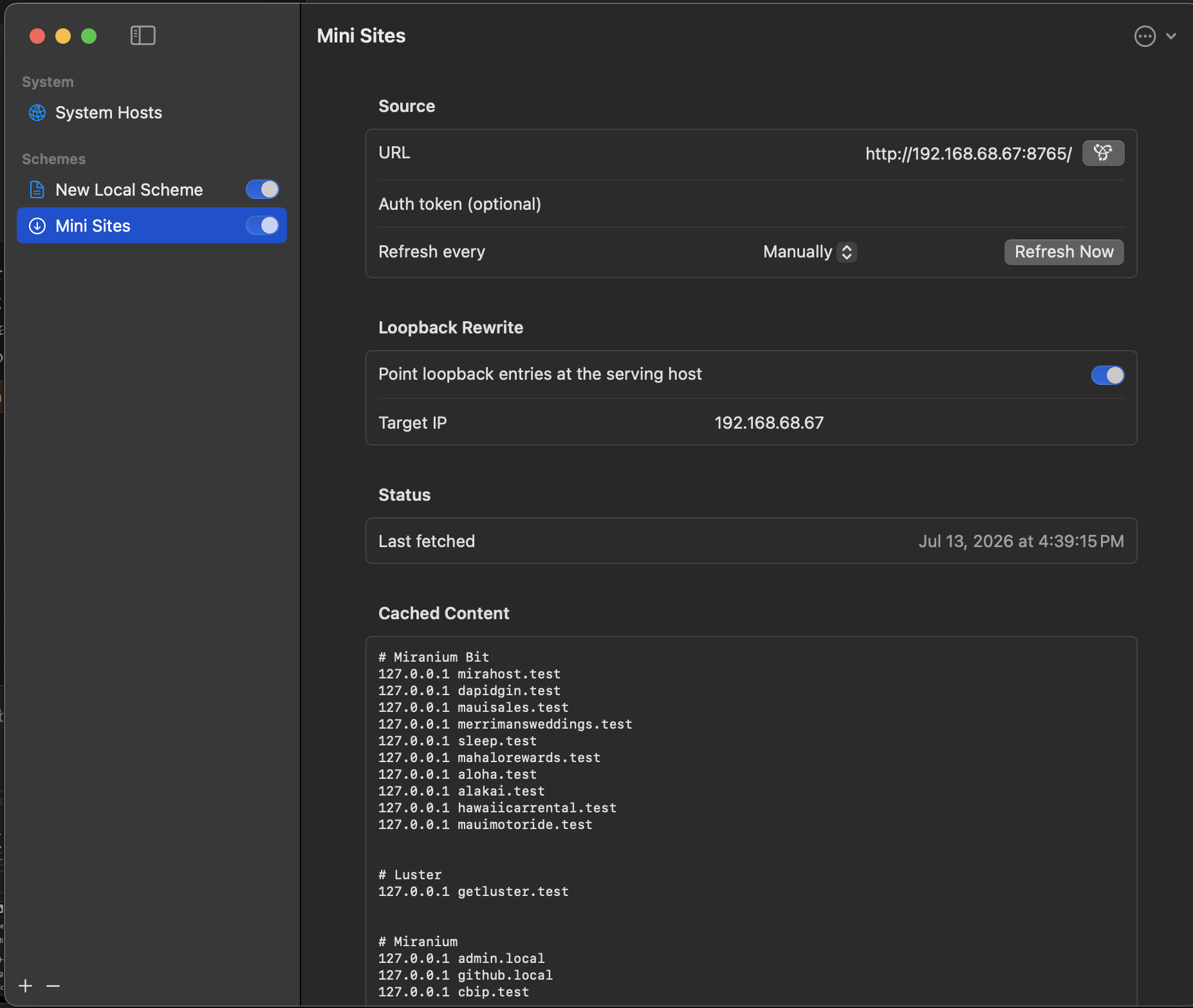
Define local text blocks or fetch dynamic host files from URLs with smart loopback rewriting.

# publish

Local Publisher

Broadcast active hosts over a lightweight HTTP server — sync custom hostnames to your iPhone or iPad.

# lan

LAN forwarding

Route portless .test domains across machines via the built-in Native Proxy or a generated Traefik config.

# address book

IP Address Book

Hostess tracks the IPs you use and lets you inject them from a simple dropdown.

# portable

Import & export

Export your whole folder hierarchy and toggle state to portable JSON, with smart conflict resolution.

# diagnostics

Network diagnostics

One panel for publisher URLs, pf state, proxy status, and remote-fetch health — no terminal required.

# shortcuts

Shortcuts & App Intents

"Set Scheme Active" and "Activate Only This Scheme" intents for Shortcuts, Spotlight, and automations.
INTELLIGENT PARSING

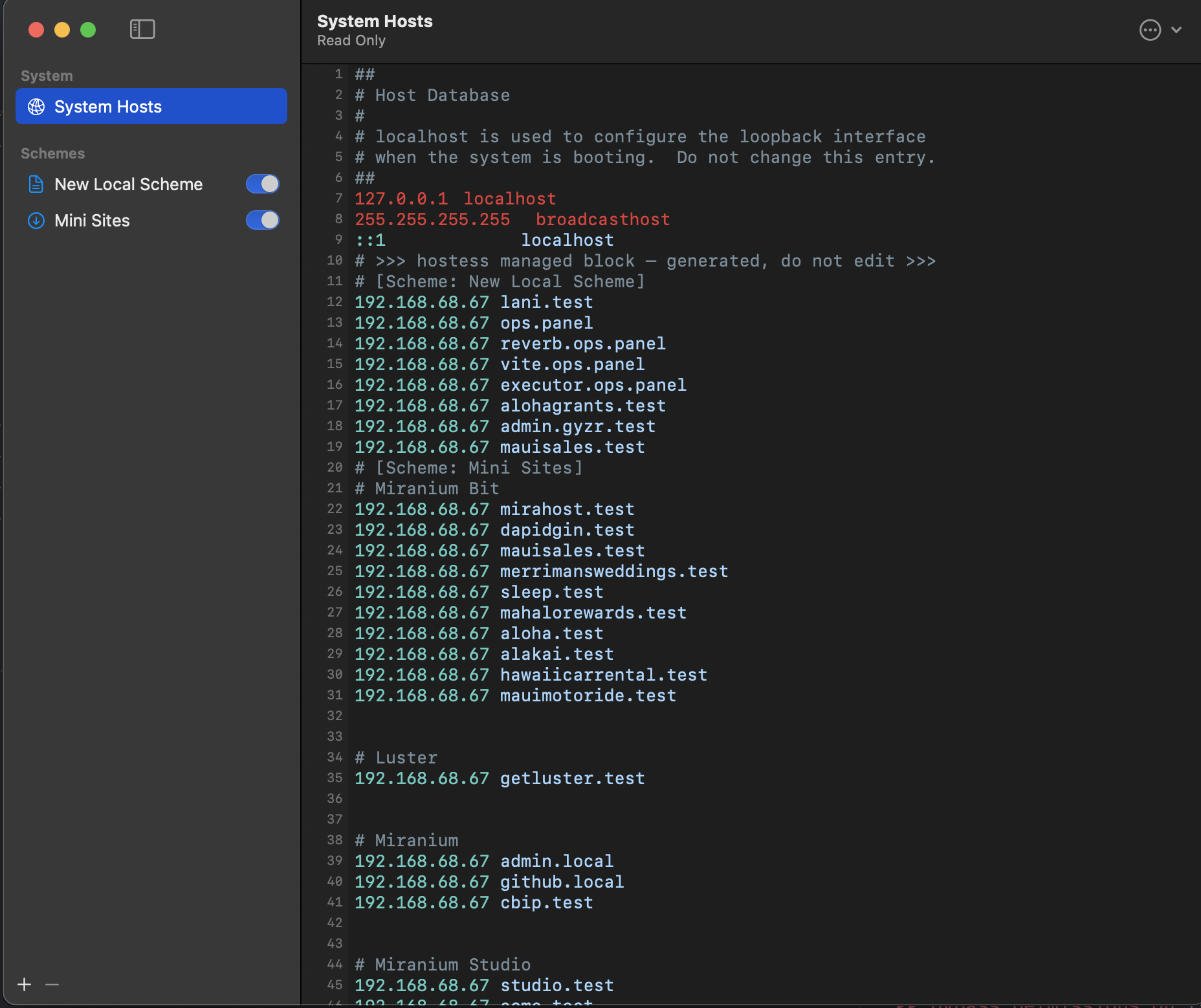
See exactly what's managed

Hostess only touches its own managed block. Your custom comments and hand-written entries are protected — always.

See exactly what's managed
MENU BAR

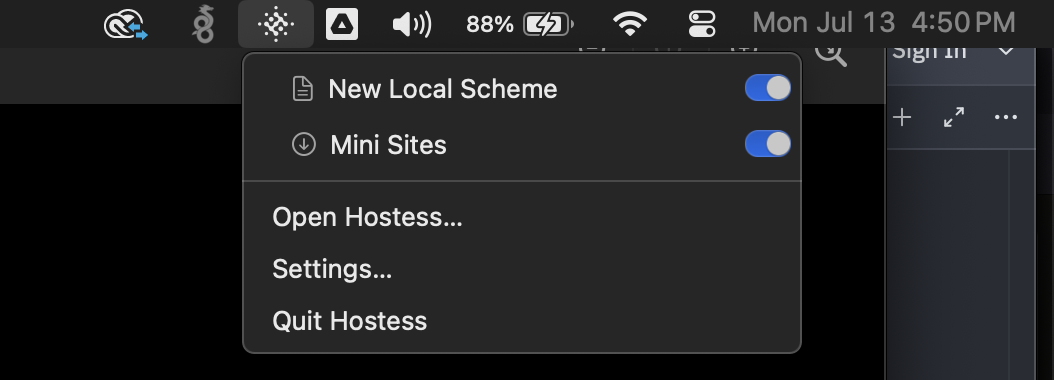
Toggle from anywhere

Flip whole environments without leaving what you're doing.

Toggle from anywhere
REMOTE SCHEMES

Fetch hosts from a URL

Pull dynamic host files with loopback rewriting and ETag-aware refresh.

Fetch hosts from a URL
HOW IT WORKS

A declarative engine for your hosts file

Toggle a scheme and Hostess aggregates every active leaf, sanitizes and deduplicates entries, and hands a clean block to its root helper.

01

Aggregate

Every active leaf — files, remote fetches, text blocks — is collected when you toggle a scheme.

02

Sanitize

IPs are validated, overlapping hostnames deduplicated, and everything formatted into a clean block.

03

Apply

The XPC root helper replaces only the managed block, keeps 10 backups, and flushes your DNS cache.

LOCAL PORT FORWARDING

Map .test domains straight to your dev ports

Append a port to any hostname and Hostess wires it through macOS pf — no reverse proxy for local traffic. Rules survive reboots and never clobber your VPN's packet-filter state.

Map to alternate loopbacks like 127.0.0.2 so your primary localhost traffic stays untouched.

# port 80 → 5173
127.0.0.2   acme.test:5173
127.0.0.5   app.local:8888
# forward 80 → 8888 and 443 → 8443
127.0.0.2   acme.test:80=8888,443=8443
# or keep hostnames clean
127.0.0.5   app.local   # forward: 5173
CLI DEEP LINKING

Inject hosts from any script or automation

Drive Hostess programmatically with a URL scheme — from CI, a server bootstrap, or a Shortcut. The -g flag keeps it in the background.

terminal — zsh
# add an entry and toggle the scheme on
open -g "hostess://add?ip=127.0.0.1&host=api.local&scheme=Development&active=true"
# organize it into a folder automatically
open -g "hostess://add?ip=127.0.0.1&host=api.project.test&scheme=Local&group=Project%20Alpha"

Take back your hosts file.

Free and open source. Drag it to Applications, authorize the helper once, and you're done.

Download .app Build from source
requires macOS 14+ · Apple silicon & Intel